
Features
What you can do with Essential Scan
Every feature below is in the app today, shown in a real screenshot. 15 documents read for you, plus every workflow tool.
Keep the original, then read it
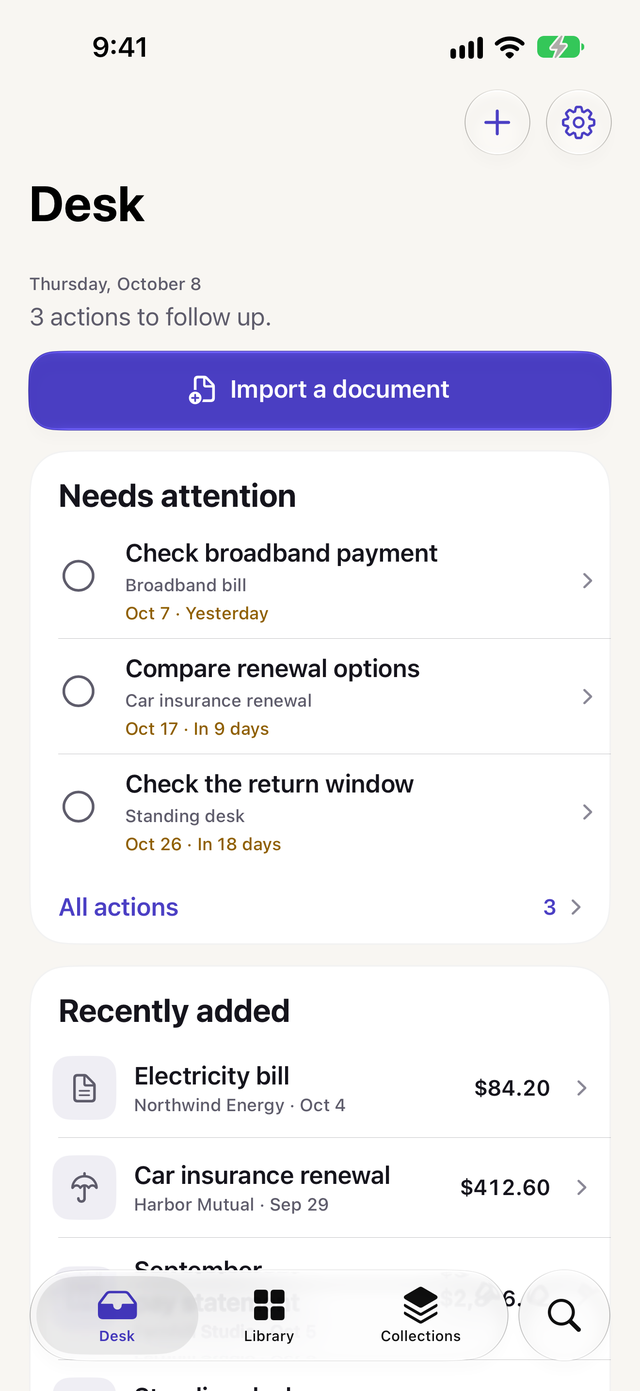
Scan paper with the camera, import PDFs and photos, or share a document from Mail, Files or Safari. Essential Scan saves the source first and files it in one of twelve folders, from bills to warranties.
- Combine several photos into one multipage document
- Spot a file you already saved
- PDFs up to 200 pages
For iPhone and iPad. Works with iOS 26 and iPadOS 26 or later.
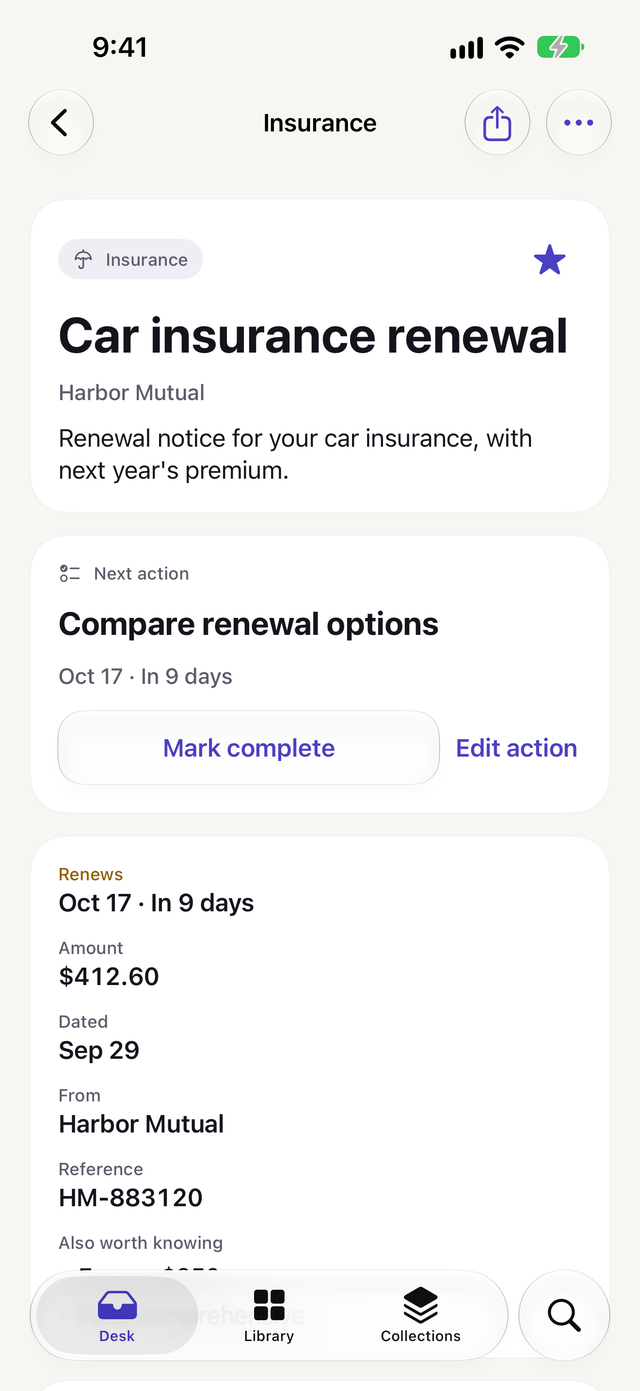
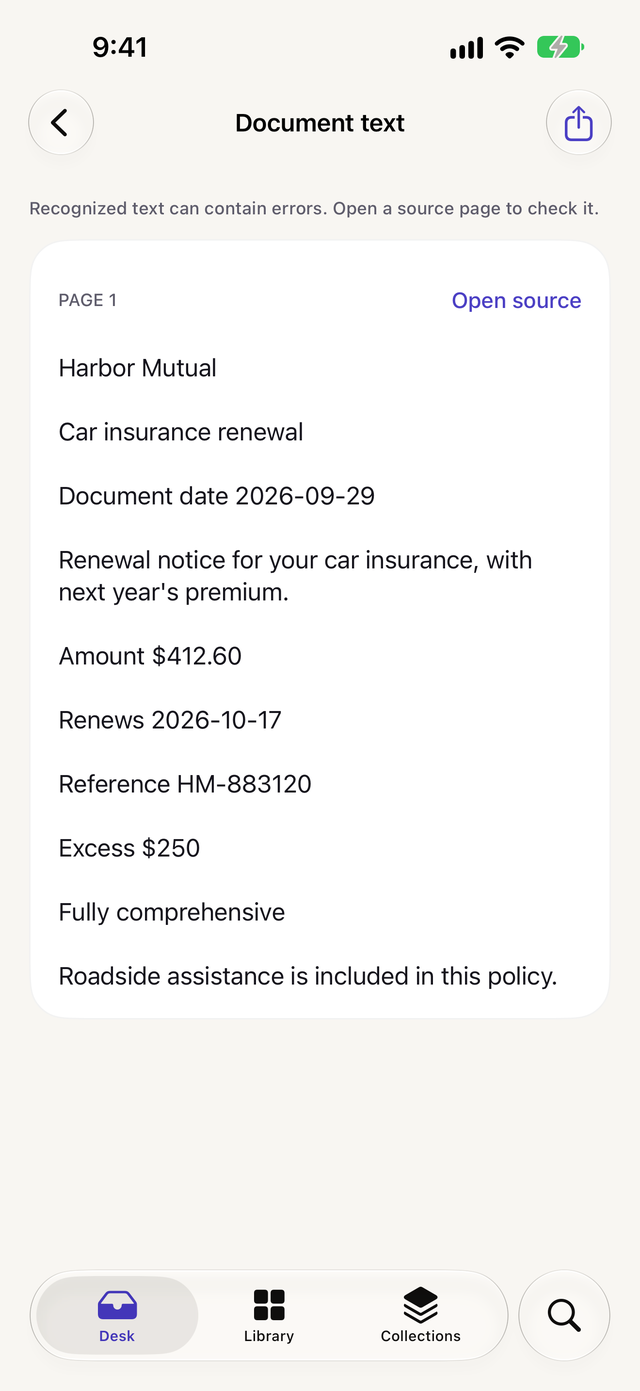
Find the dates, amounts and references
Essential Scan pulls out the sender, dates, amounts and reference numbers. Apple Intelligence adds a title and summary on supported devices, and a basic reader works without it.
- Read recognized text page by page
- Open the source page to check a detail
- Search covers text, notes and tags
On iPhone and iPad with iOS 26 or iPadOS 26 or later. Titles and summaries need Apple Intelligence on a supported device.
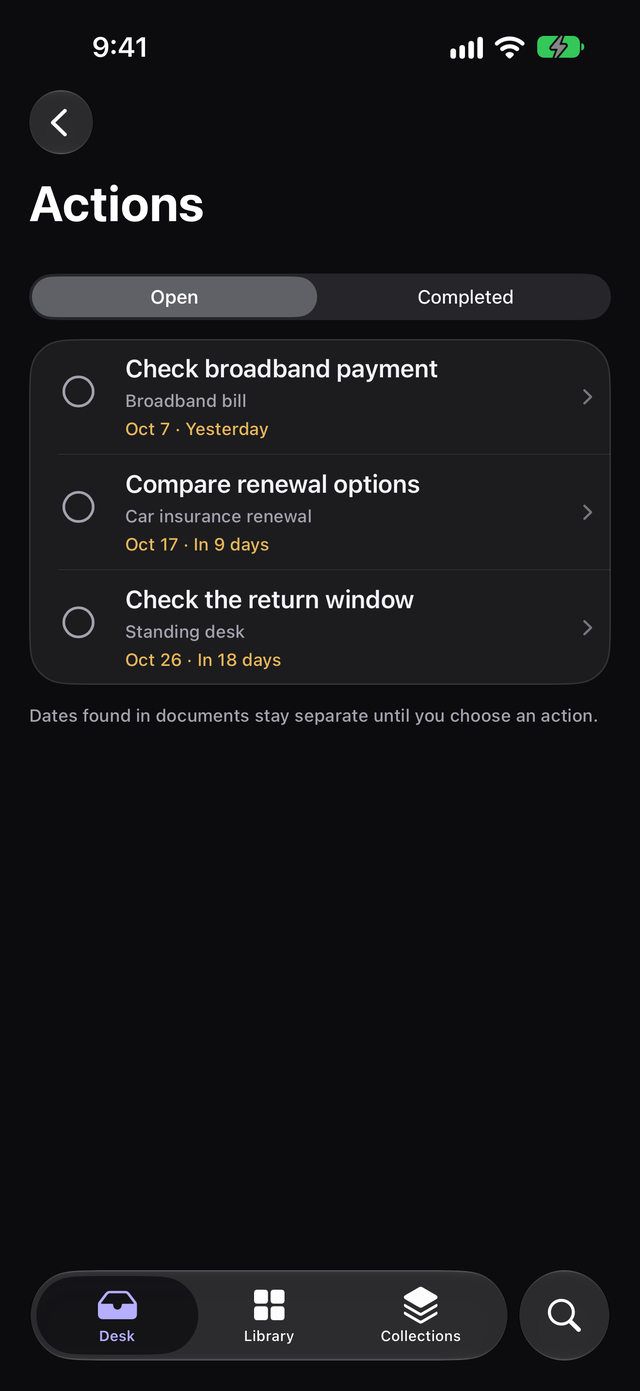
Decide what needs doing
Give a document one action with a due date, such as paying a bill or comparing a renewal. Set an optional reminder, then mark it complete or reopen it from your Desk.
- Dates found in a document stay suggestions until you save an action
- Reminders never show document names or details
For iPhone and iPad. Works with iOS 26 and iPadOS 26 or later.
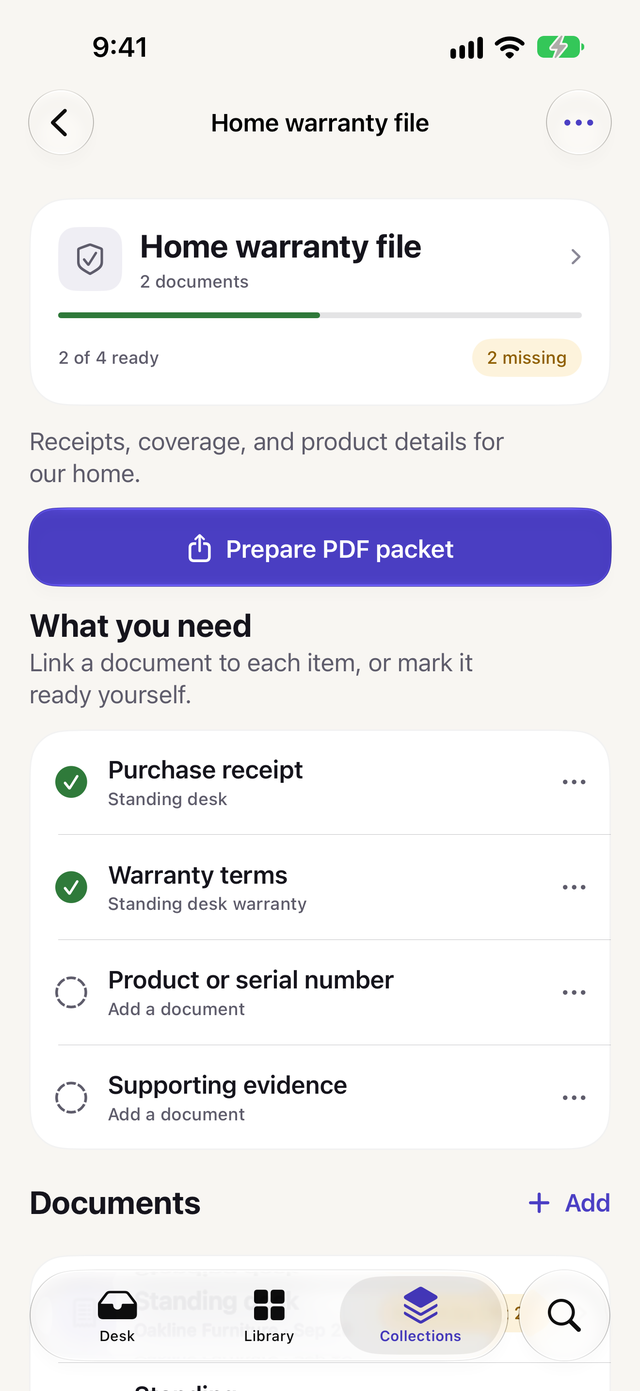
See what's still missing
Make a collection for a claim, an application or your taxes. Link documents to its checklist and see which items are still open. Five starter checklists help you begin.
- Edit any checklist to fit your situation
- Checklists are suggestions, so confirm what the recipient needs
For iPhone and iPad. Works with iOS 26 and iPadOS 26 or later.
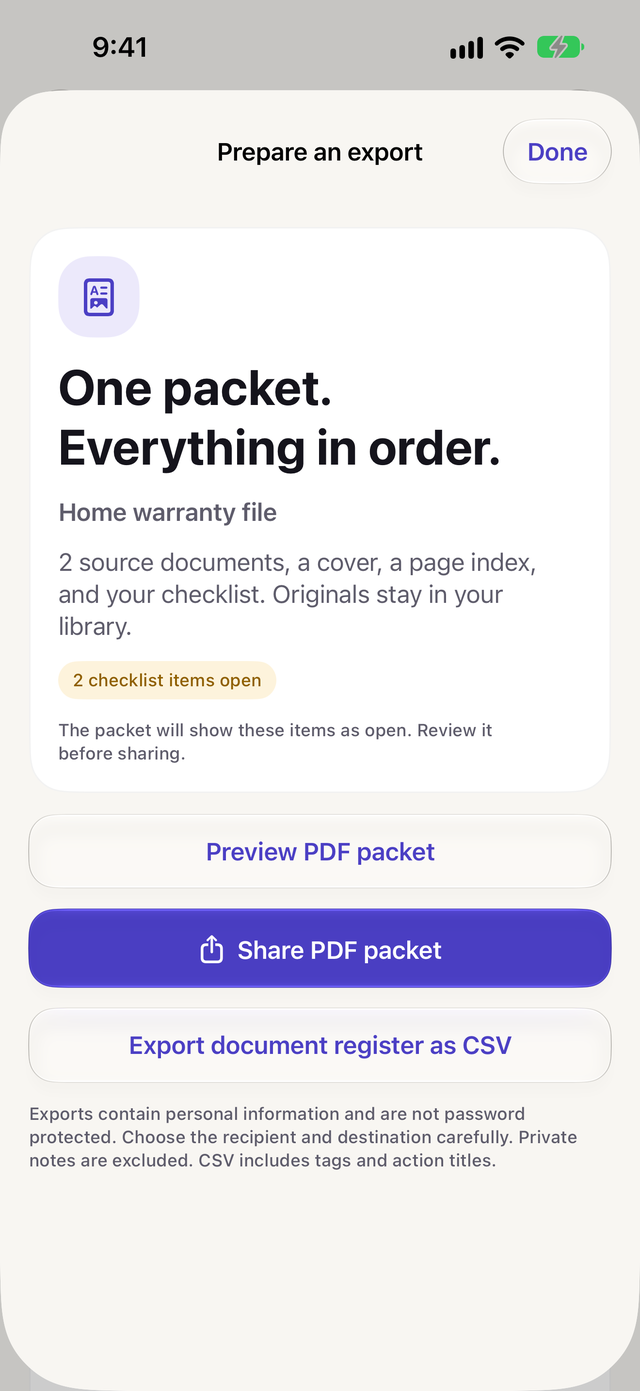
Share one packet, in order
Turn a collection into one PDF with a cover, a page index, the checklist and the source documents. Preview it before you share it. Essential Scan never sends or submits anything for you.
- Export a CSV register of your documents
- Reorder, rotate or remove pages in a new copy
- Export recognized text as a file
For iPhone and iPad. Works with iOS 26 and iPadOS 26 or later.
Private, on your device
Documents stay on your iPhone or iPad, protected by its passcode. There's no account, no ads and no analytics, and reading happens on the device. You can lock the app with Face ID.
- Restore a deleted document within 30 days
- Exports are copies you choose to share
For iPhone and iPad. Works with iOS 26 and iPadOS 26 or later.
Essential Scan is coming soon to iPhone and iPad.
Keep the original, find the detail and have the right documents ready for the next bill, claim or application.
Coming to the App Store
15 documents read for you, plus every workflow tool.
For iPhone and iPad. Works with iOS 26 and iPadOS 26 or later.